
Module for bulk changing the date of product addition in Prestashop 9, 8, 1.7. Editing the date of product addition in Prestashop 9, 8, 1.7 has never been so easy! With our module, you can quickly and easily change the date added for a single product or the date added for multiple products at once in Prestashop 9, 8, 1.7.
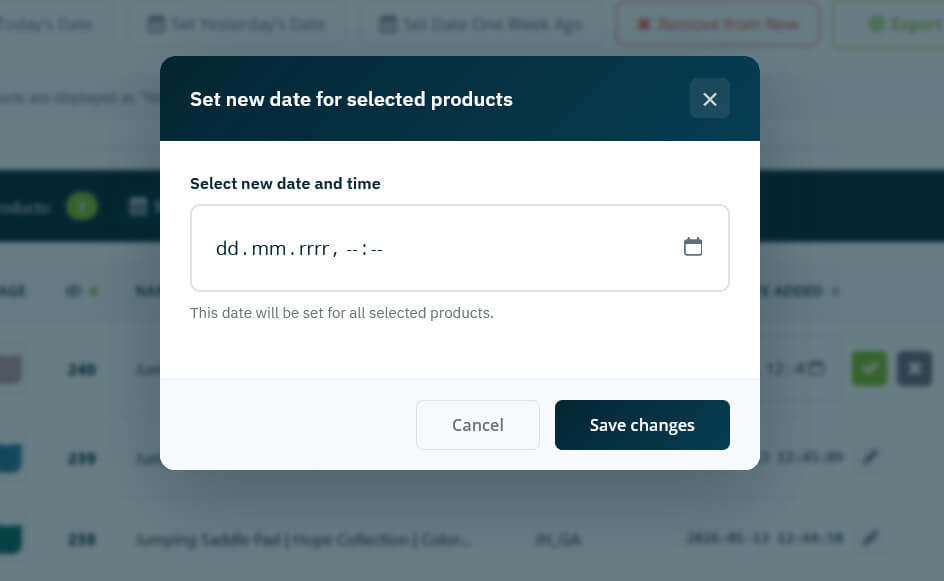
How to change the product addition date in Prestashop 9, 8, 1.7?
Unfortunately, it is not possible to change the addition date natively from the store panel (back office), but you can do it with our module.
Thanks to the Change product date add (prschangedateadd) module, you will not waste time changing dates directly in the database. From now on, you can make the appropriate changes from the module. The module is 100% safe for the integrity of the store’s database and meets all Prestashop standards.
Compatibility with Prestashop 9.x.x, 8.x.x, 1.7.x
The product addition date editing module is fully compatible with Prestashop 9.x.x, 8.x.x, 1.7.x. Tested, it works seamlessly with every release of Prestashop 9, 8, 1.7.
Intuitive management panel
A clear view of all products in one place, photos, names, references, and dates – everything at your fingertips
– sorting and filtering – find exactly what you are looking for!
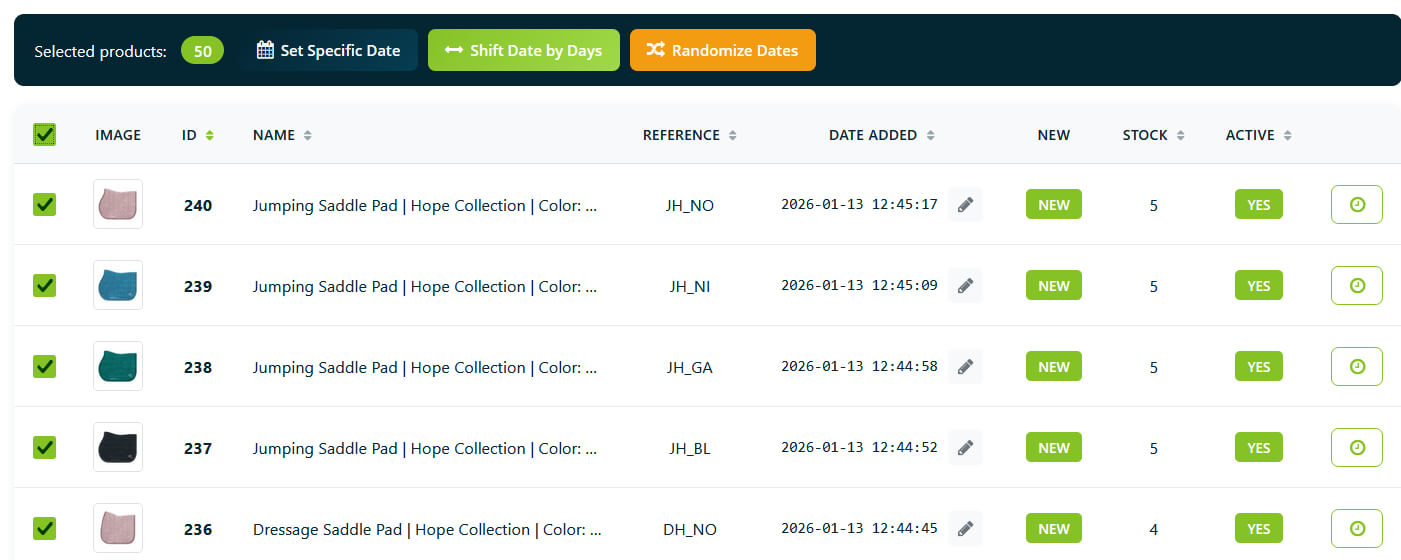
Instant editing of product addition dates and quick updates
Click Change date and Done, no page reloads – everything works in real time – instant preview of changes.

Bulk editing of product addition dates
Select hundreds of products and change their date with one click, quick action buttons: set today’s date, set yesterday’s date, set a week ago, remove from new.

Move dates by any number of days (back or forward), or let the module set random dates within a range for a natural distribution of new products.
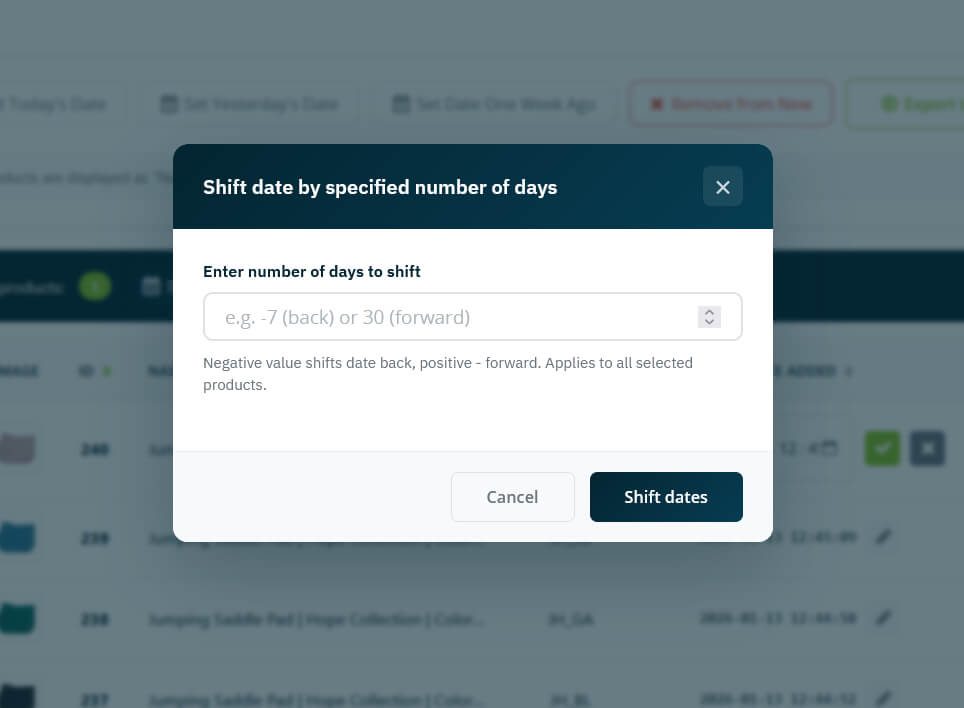
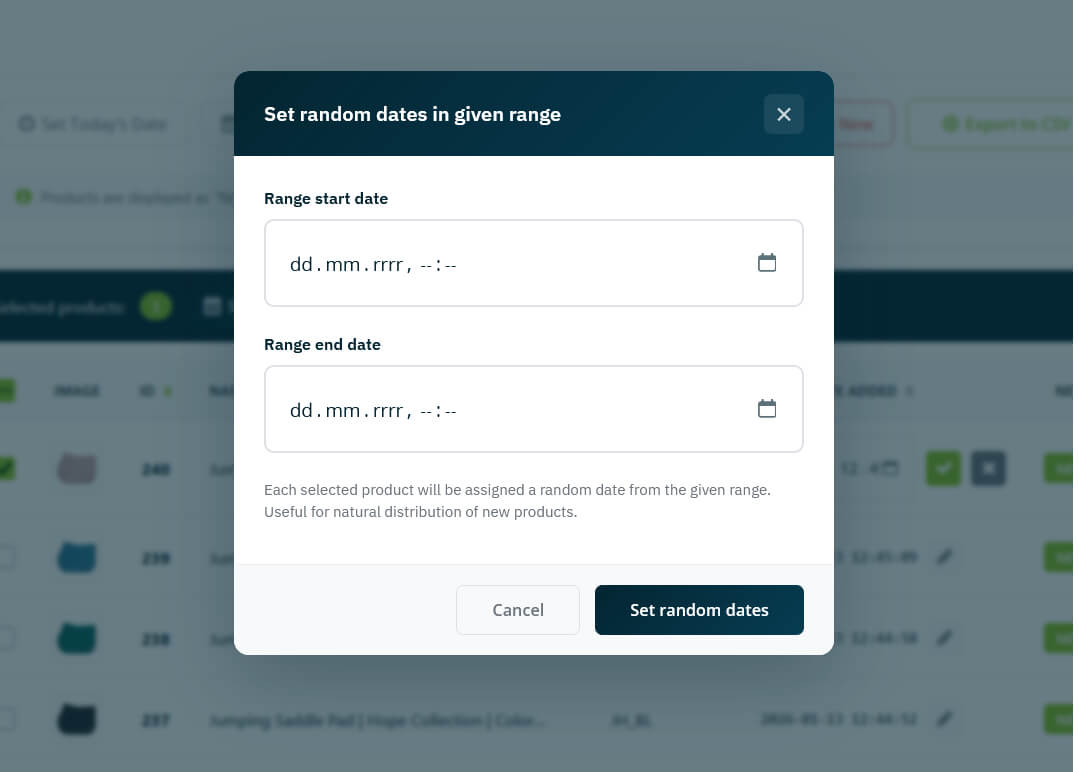
Advanced filters
Search by name, ID, or SKU; filter by category, status, stock level; show only products marked as “new” or only those that are not; date range – find products added during a specific period.
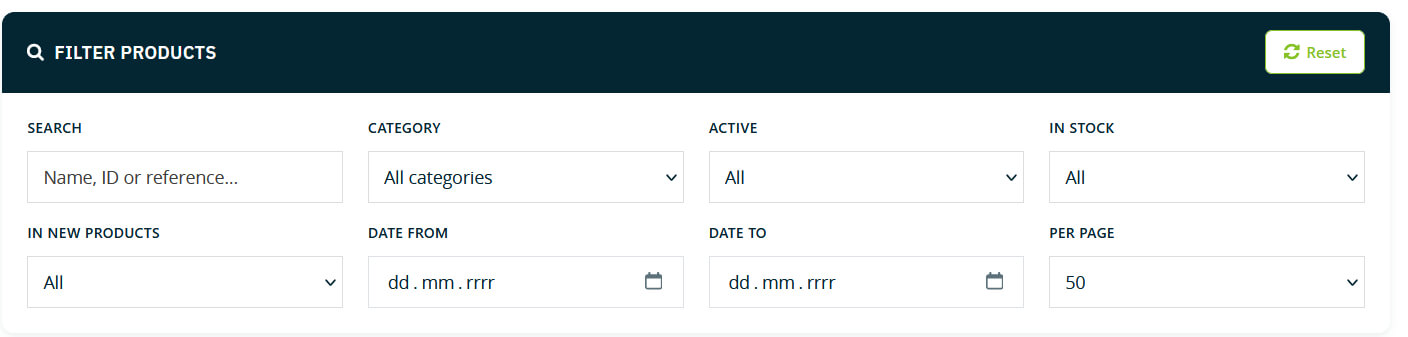
Import/Export CSV
Export a list of products with dates to a spreadsheet and import new dates in bulk from a CSV file.
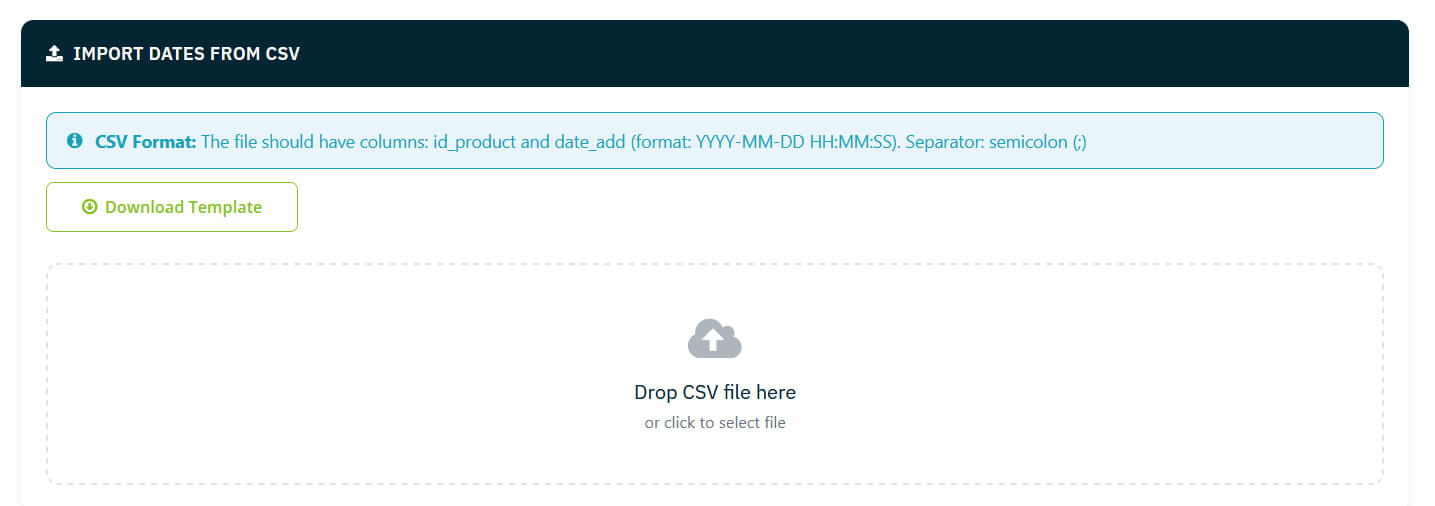
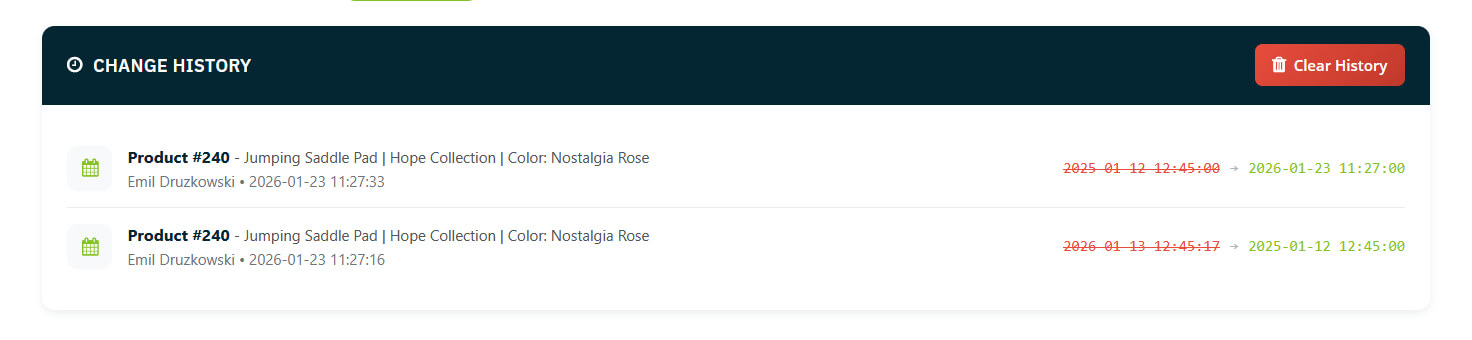
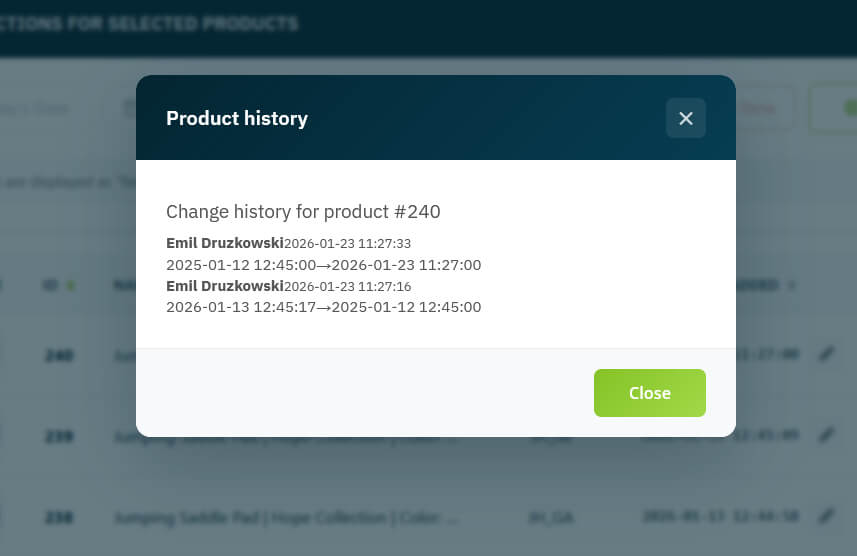
Full change history
You can see who changed what and when – the change history of the addition date for each product separately.
Compatibility with Multistore mode
The module is compatible with Multistore mode in Prestashop:
– if you select All stores, the date added will be changed for all stores.
– if you select Store groups, the change will be applied within the stores in the selected group.
– if you select Single store, the change will only be applied to the selected store.
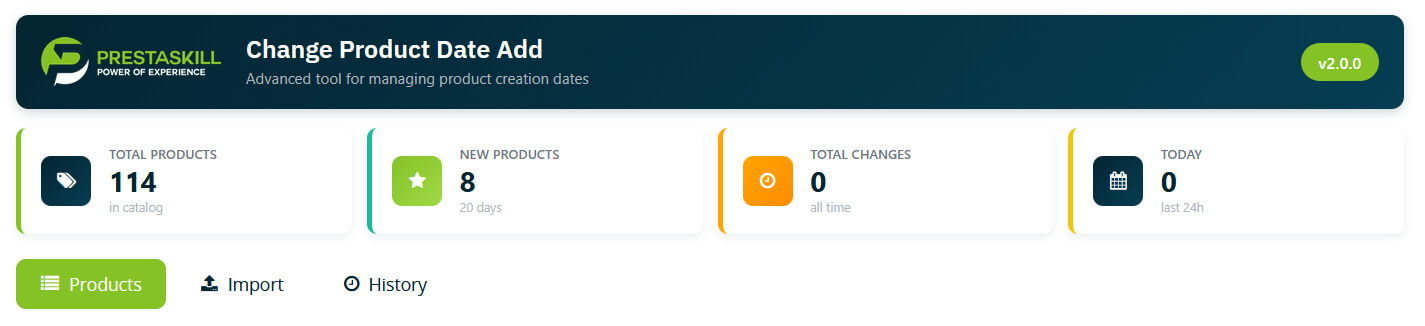
Dashboard with statistics
Total number of products in the catalog, how many products are currently new, number of changes today and in total.
Frequently asked questions:
1. “Does the module remove the New sticker if an old date of addition is entered?”
Yes, if an old date of addition is entered, the sticker will disappear. Conversely, if a date of addition is entered that qualifies the product as New, the sticker will appear automatically.
2. “Despite entering an old date, the New sticker is still displayed in various places in the store.”
Clear the store’s cache.
3. “Is the module compatible with Multistore mode?”
Yes, the module is fully compatible with Prestashop Multistore mode.
4. “Does the module overwrite any store files?”
No, the module does not overwrite any store files.
5. Can this module be used to bulk change product addition dates in PrestaShop?
Yes, the module allows you to bulk change product addition dates in two convenient ways – via the product list and via the CSV file import function.
6. Is there a way to track the history of product addition date changes?
Yes, the module has a full log of all date changes along with the history for specific products.
7. I need to change the date of addition for only one product – can I use the PrestaShop module – the product date change module (PS 1.7, 8, 9) to change the date of addition for a single product in PrestaShop?
Yes, the module has the functionality to edit individual products directly in the product list – just click the edit icon next to the product and change the date directly in the table.
Why choose our module for changing the date of product additions in Prestashop?
– compliance with Prestashop standards
– compatibility with Prestashop Multistore mode
– 100% secure in terms of database integrity
– compatible and tested with every release of Prestashop 9, 8, 1.7
– thoroughly analyzed for potential security vulnerabilities and protected against SQL Injection
License for the module to change the date of adding a product in Prestashop
The license is granted for 1 store (1 store address) and is perpetual. This means that you can use the module without any time restrictions and receive all updates free of charge. In the case of PrestaShop installation in multistore mode, one license covers the entire multistore, without the need to purchase separate licenses for individual stores.
Changelog
1.0.0 – first release // 10/14/2020
1.0.1 – module adaptation for Prestashop 1.7.8 // 03/08/2022
1.3.0 – importing dates from a CSV file // 08/10/2023
1.5.0 – mass change of the date added from the list, quick actions on the list, adaptation of the module for Prestashop 8 // 12.06.2023
1.8.0 – random date functionality and the ability to move the date back or forward by a selected number of days // 03.02.2025
2.0.0 – date change history, refactoring of the product list function, adaptation of the module for Prestashop 9 // 02.01.2026
2.1.0 – fixed module loading for older PS versions (PrestaShop 1.7.4.x) // 23.01.2026